On this page you will find a summary of the things you can do with .NET Memory Profiler.
Standard Profiling
Using a wizard you can easily start profiling the following types of processes:
- Standalone application (e.g. a Windows Forms application)
- ASP.NET application (using IIS, IIS Express or WebDev.WebServer)
- .NET Core application
- Windows Universal App
- Windows Store App
- Silverlight application
- WPF Browser application
- Window Service
Production Code Profiling
A wizard is also provided for connecting the profiler to already running processes, or to import memory dump files. This is especially useful when profiling problems in a production application.
Use the "attach to" API provided by .NET runtime 4.0 and later to collect snapshots faster and more securely.
Use the NmpCore tool to collect memory snapshots on machines where .NET Memory Profiler is not installed.
Remote Profiling
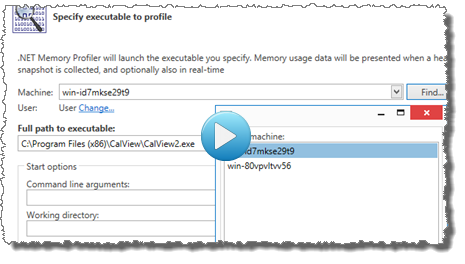
Remote profiling allows you to use a development computer to profile a process running on a computer where you do not want to or cannot install the full profiler. The NmpCore tool is used on the remote computer to provide remote profiling access to the computer.
The demo below shows how to start a remote profiling session.
Profiling Levels

The profiling levels allow you to select the amount of information to collect from the profiled application. The Medium profiling provides a good balance between the amount of data collected and the performance impact of the profiler. When profiling a very complex and memory consuming application, the Low or Very low level might be more appropriate, as the memory and performance overhead is much lower. To get full memory information, including heap utilization, use the High level.
Guided Profiling
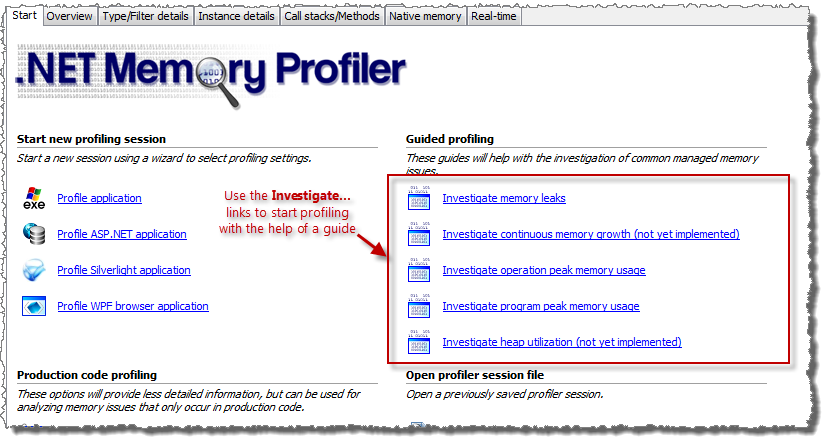
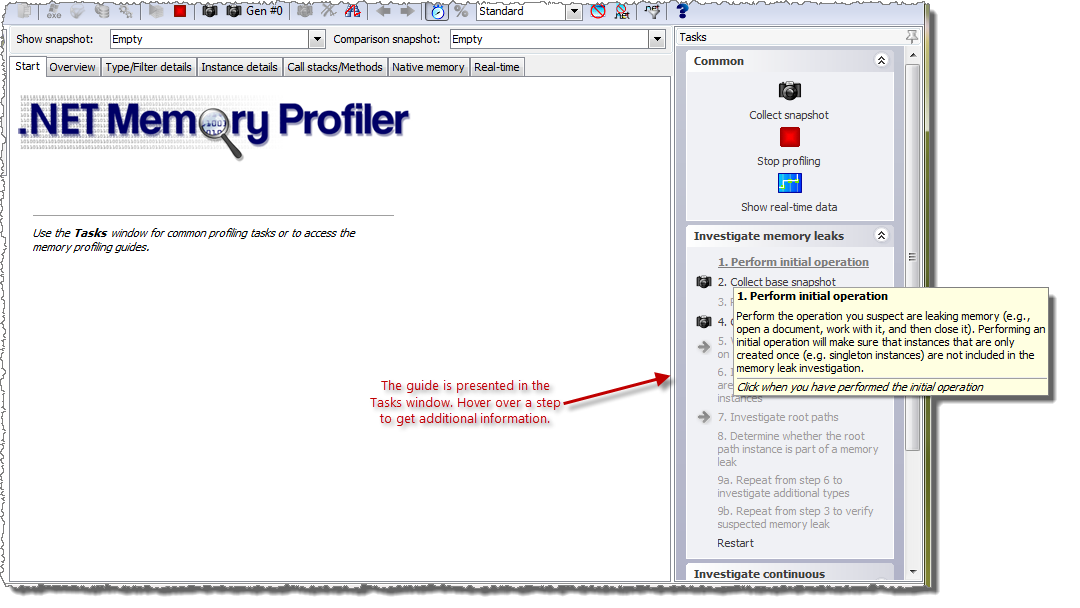
The profiler guides provide interactive step-by-step instructions that will help you with common memory profiling tasks, such as memory leak investigations.
Updated! Snapshot Collection
Collecting snapshots allows detailed information about the garbage collected heap to be presented. If unmanaged resource tracking is enabled then detailed information about unmanaged resources is also presented. The views of the heap snapshot are presented on the Heap Snapshot Views page.
New! Hybrid inspection snapshots provide a view of the memory usage information as it is, including unreachable instances and no prior garbage collection.
Snapshot Comparison
Comparing snapshots allows information about the change in the heap data to be presented. This information can for instance be used to find memory leaks by locating instances that should have been collected. If unmanaged resource tracking is enabled then change information about unmanaged resource instances is also presented.
Snapshot Filters
The snapshot filters allows you to drill down on a subset of the instances and allocations in a snapshot comparison. For more information see the documentation and the "what's new" information.
Automatic Memory Analyzer
Don't know where to start when analysing a memory snapshot? With the automatic memory analysis, you will get tips and warnings regarding common memory usage issues. This will help you locate potential memory leaks and optimize memory and resources usage.
More than 30 memory issues are identified by the memory analyser, ranging from warnings about likely memory leaks, to information about how memory is used (e.g. by the ASP.NET cache).
The presentation of the analysis information is integrated into the Heap Snapshot views.
A list of the issues identified by the analyzer is available in the documentation.
Updated! Visual Visual Studio 2017, Visual Studio 2019, and Visual Studio 2022 Integration
Visual Studio integration allows you to start profiling C# and Visual Basic.NET projects from within the development environment, as well as open previously stored session files.
NET Memory Profiler runs as a separate process even when profiling from Visual Studio. This allows the profiler to work with much larger sessions and profile processes with much higher memory usage. It also provides better isolation between Visual Studio and the profiler, better performance, and reduced conflicts with third-party components.
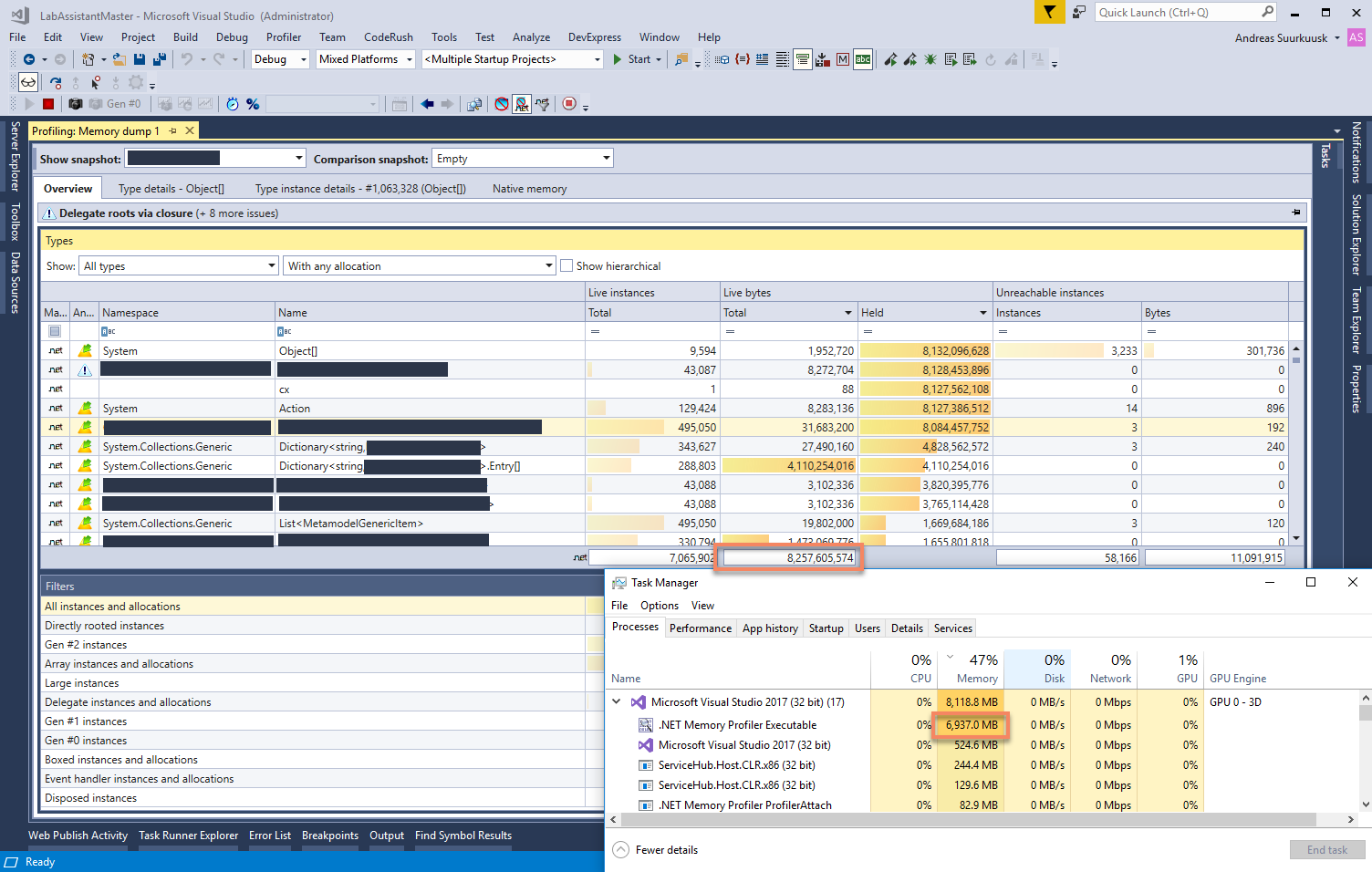
The screenshot above shows the import of a memory dump import of a file larger than 8 GB. After the import, .NET Memory Profiler consumes close to 7GB of memory, which would not be possible within the Visual Studio process.
Updated! Debug Profiling
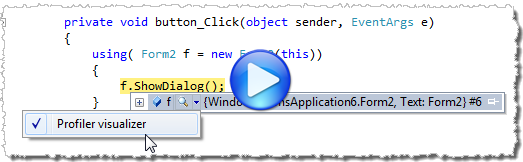
Using Debug profiling you can launch the debugger and profiler simultaneously and get profiler integration in the watch windows (Watch, Locals , Auto, and debugger tool tips) – and you can collect snapshots while you have stopped at a breakpoint. You start debug profiling using the command Profiler->Debug with Memory Profiler in Visual Studio.
Updated! Run Tests under the Profiler
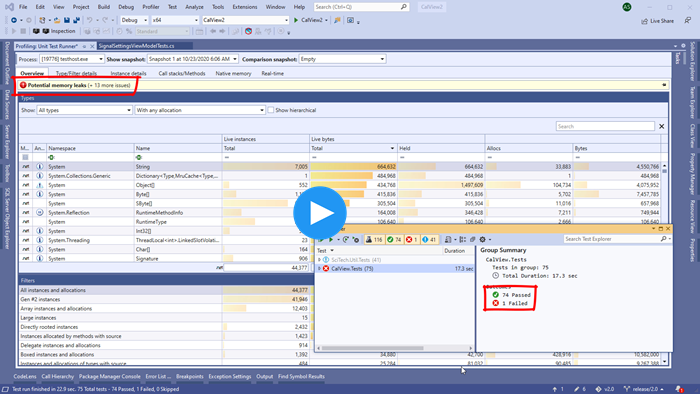
By using the "Run unit tests under profiler" command, you can run your unit tests under the profiler. For more information, see the demo below.
Run Tests under the Profiler using the CodeRush test runner (by DevExpress)
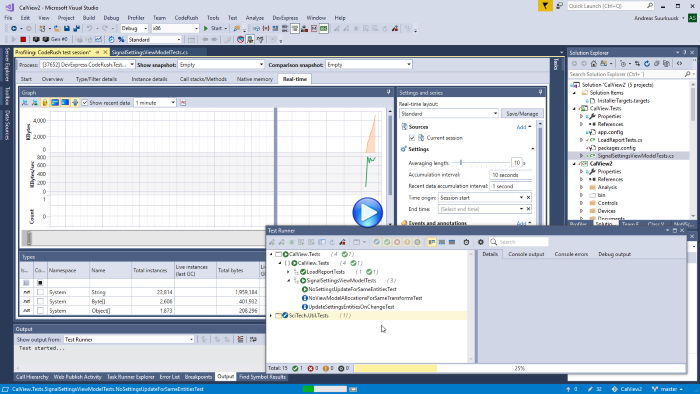
If DevExpress CodeRush is installed in Visual Studio, it is possible to run unit tests under the memory profiler using the CodeRush test runner. This is a more convenient and intuitive than using the "Run tests under memory profiler" command.
The screencast below shows how the CodeRush test runner can be used to run unit tests.
Duplicate Instances Detection
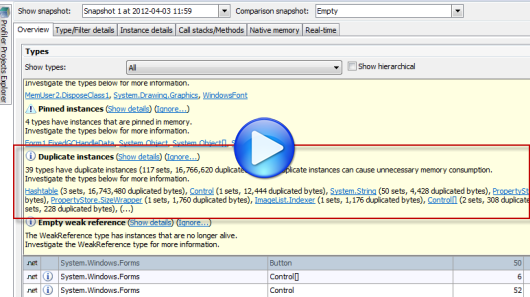
The automatic memory analyzer in .NET Memory Profiler will also give you detailed information about all duplicated instances. This includes simple duplicates, like duplicated strings, and complex duplicates, such as large identical hashtables. This information will help you avoid unnecessary memory usage caused by the duplicates.
Instance and Allocation Filters
Using filters you can get information about instances and allocations that share a common characteristic, e.g. all allocations and instances that are derived from a specific type, all instances that are directly referenced by a root, or all allocations performed by a specific method. By combining filters you can get very specialized information, e.g. all instances of a specific type that are directly referenced by a root and allocated by methods in a specific assembly.
Peak snapshot collection
Peak snapshots can be used to get details information about the peak memory usage of the application. The peak snapshot includes information such as the total number of instances and bytes before the garbage collection, the number of instances and bytes collected, and the number of instances and bytes that are unreachable but still exist on the GC heap.
Dependency Property Evaluation
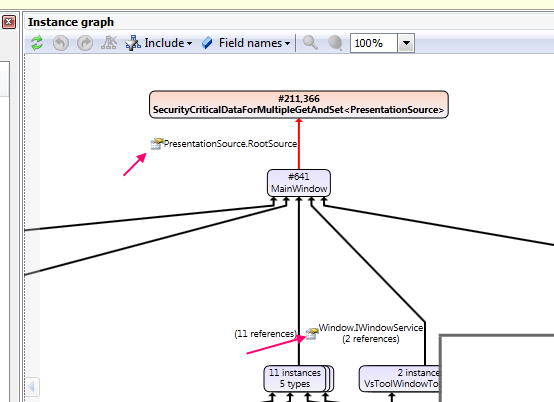
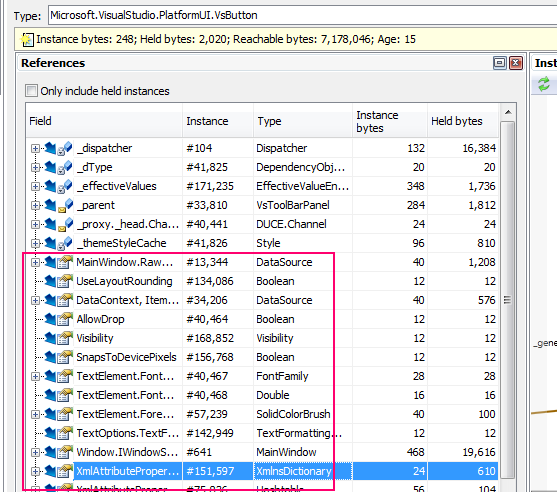
When profiling a WPF or Silverlight application, the profiler will evaluate DependencyProperties. The properties will be presented as "pseudo-fields" in views like "Referenced by," "References", "Field values", and "Instance graph" under the Type instance details page.
Call Stack Information for all Instance Allocations
The allocation call stack is stored each time a managed instance or unmanaged resource instance is allocated. This provides very useful information about why and how instances are created.
The call stacks reducer can be used to decrease memory usage and improve performance, by automatically skipping less important frames from call stacks.
Full native call stacks are collected using a fast native stack walker. This will give you a good understanding of how native memory and resources are used by your application.
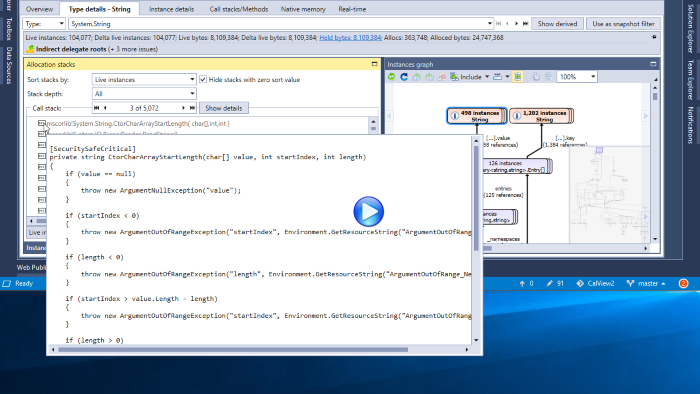
If DevExpress CodeRush is installed in Visual Studio, the decompiler feature in CodeRush will be used to decompile methods in presented call stacks.
The screencast below shows how decompiled source (and actual source, if available) is presented for the call stack methods.
Types, Resources, and Filters Overview
Information about all types and resources in the profiled process is presented in the Overview view, which is one of the Heap Snapshot views. It contains one table that presents information about the types and resource and one table that presents information from the instance and allocation filters.
The total number of held bytes for each type and filter is also included in the overview. This number often provides a better metric of the total bytes used by a type.
Updated! Type, Resource, and Filter Details
The Type/Resource/Filter Details view is one of the Heap Snapshot views. It shows the details of a selected type or resource, which include:
-
All information available for a type, resource, or filter is presented using info
panels.
This information includes the number of instances, the size of the instances, the number of held bytes, and any issues found by the memory analyser. For disposable types it also includes information about the number of disposed and undisposed instances. - All instances of the type or resource.
- All call stacks that have allocated an instance of the type or resource.
-
Shortest root paths for all instances of the type.
The shortest root paths are combined based on types rather than instances, which makes it easier to analyze types with a lot of live instances. - Static field values for all AppDomain and threads.
-
Updated! A combined instances graph.
The combined instances graph shows the root paths of the selected instances, the instances with a specific shortest root path, or the instances that share a common allocation call stack.
Click here for more information.
Updated! Instance Details
Instance Details is one of the Heap Snapshot views. It shows the details of a selected instance, which include:
-
Information about the instance
For a managed type instance, this information includes the number of bytes used and held by the instance, age, and state such as "New", "Disposed" , and any issue found by the memory analyser. For an unmanaged resource instance, this information includes the identifier, size and state. - Updated! Allocation call stack of the instance
- Root paths for the instance
For a managed type instance the following additional information is presented:
- Updated! An instance graph showing how the instance is related to other instances (see below)
- References from and to the instance
- Wrapped unmanaged resource instances
- Field values of the managed type instance (including static field values.)
- The target of weak references is presented as a reference to an instance, and is also presented as a field value.
For an unmanaged resource instance the following additional information is presented:
- Related resource instances
- Managed type instances that wraps the resource instance
- Arguments provided when creating the instance
Click here for more information.
Updated! Instance Graph
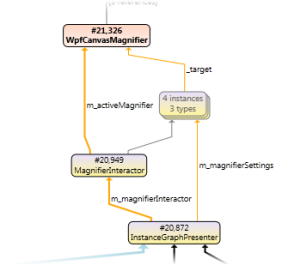
The instance graph gives you a visual overview of how a managed instance is being used, how it is related to other instances, and, maybe most importantly, how roots are preventing it from being garbage collected.
Call Stacks and Methods
Call Stacks/Methods is one of the heap snapshot views. It shows information about all call stacks and methods in which allocations have been performed.
Native Memory
Native memory information (i.e., memory that is managed by the operating system rather than the Common Language Runtime) can be presented for a selected heap snapshot, the profiled process and any other other process running on the computer.
Dispose Tracker
The dispose tracker is used to identify instances that are not properly disposed. It can also be used to identify memory leaks by pin-pointing instances that have been disposed, but not garbage collected. The information gathered by the dispose tracker is presented in the Heap snapshot views and in the real-time view.
Profile Multiple Processes in the same Session
In the Enterprise edition of .NET Memory Profiler, the profiler can profile all child processes that are created by the profiled process. This simplies profiling of processes that are started using a .NET implemented launcher process. It is also possible to profile all startup projects in a Visual Studio solution, within the same profiling session.
Profile Multiple Runtimes
If multiple versions of the .NET runtime are loaded into the profiled process, a runtime selector becomes available in the main window.
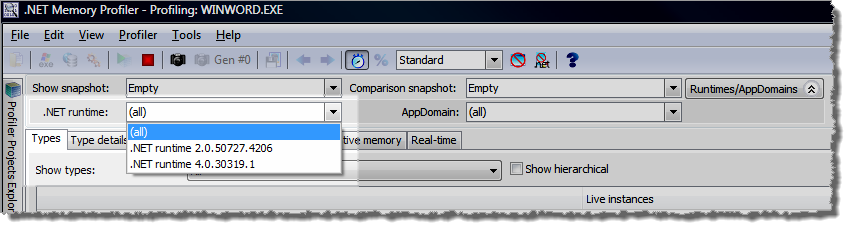
Using this selector you can select for which runtime the information should be presented, or whether information should be presented for all runtimes.
Focus on a Single Runtime or AppDomain
The runtime and AppDomain tracker allows you to investigate memory usage in a specific runtime or AppDomain. This can be particularly useful when profiling ASP.NET applications that are running in separate AppDomains.
Updated! Real-time Data Collection
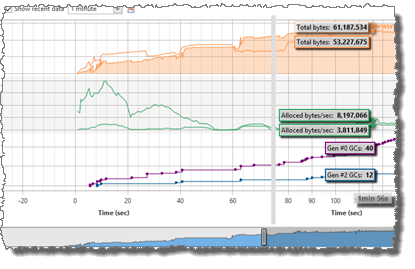
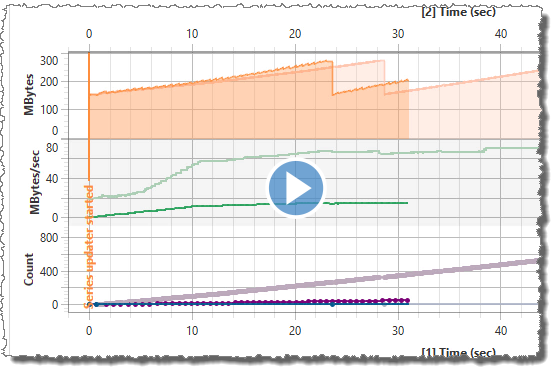
Real-time data about the activity on the GC heap can be collected and presented. This information gives a good overview over how the memory is being used during the life time of the profiled process. The real-time information includes information about global statistics such as the total number of instances, the number of GCs performed etc. It also includes real-time information about every type in the profiled process. The information is presented both numerically and graphically.
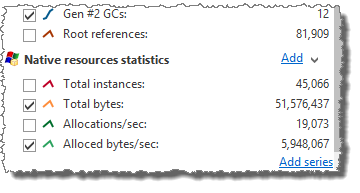
If unmanaged resource tracking is enabled then information about unmanaged resource instances is also included in both the numerical and graphical real-time view.
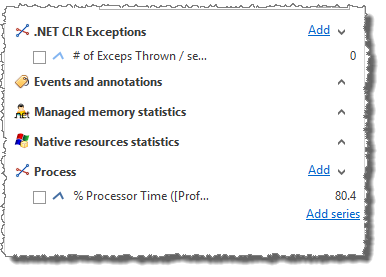
Performance counters can also be added to the real-time graph. The performance counter may be associated with the profiled process, or it can be any other performance counter available on the system.
External sessions can be added to the real-time graph, allowing data collected from multiple session to be compared. The screencast below shows how to add a previously stored session to the real-time data.
Profiler Projects
.NET Memory Profiler projects can be used to save all settings on how you want to profile a process, making it easier to use different settings for different applications.
.NET Memory Profiler projects is also used to keep track of session files related to the project. The profiler projects explorer shows all loaded projects and their session files and allows you to compare snapshots between different sessions. This is particularly useful when doing automated testing and you want to check whether the memory usage has changed between different builds of a program.
Heap Utilization Tracker
The heap utilization tracker can be used to analyze and optimize the way the garbage collected heap is used.
GC Handle Identification
GC handles are used to create handles to managed instances. .NET Memory Profiler
tracks the internal GC handles that are created by the runtime itself or by using
the WeakReference and GCHandle types.
The collected GC handles information is presented as a <GCHandle>
pseudo-type in the heap snapshot views.
Updated! Automatic Testing using the .NET Memory Profiler API
The .NET Memory Profiler API can be used to control the profiler from within the profiled process, and to detect potential memory leaks using assertions. This API is very well suited for doing automated testing of memory usage errors, for instance by using a unit testing framework like NUnit or MSTest.
The .NET Memory Profiler API is available as a NuGet package.
For more information see the .NET Memory Profiler API examples.
New! NMP Data Collector
The NMP Data Collector simplifies the profiling of unit tests. For more information, see the NMP Data Collector page.
MSBuild NmpCore Task
The NmpCore tool is available as a MSBuild task. This makes it easier to use NmpCore for automated memory testing during build, e.g. when using continuous integration.
The NmpCore task is available as a NuGet package.
For more information see the .NET Memory Profiler API examples.
Command Line Profiling
Command line arguments can be supplied to the profiler. Together with the .NET Memory Profiler API this allows the profiler to be used in an automated testing environment, without any user interaction.
Support for .NET Framework 2.0, 3.0, 3.5, 4.0, 4.5, 4.6, 4.7, and 4.8
Support for .NET Core 1.x, 2.x, 3.x
Support for .NET 5.0
Support for .NET 6.0
New! Support for .NET 7.0
.NET Memory Profiler can be used to profile processes running under all versions of .NET Framework and .NET Core, except .NET Framework 1.x.
What's New?
To see what is new and updated in the latest version of .NET Memory Profiler, see the what's new information.
NOTE! .NET Memory Profiler is available in three editions: Standard, Professional, and Enterprise. All features are not available in the Standard and Professional editions. For information about the features that are included in the different editions, see the profiler editions comparison.